



Bounce & Dynamic Text Animations
By RobinMotionArtUnlimited downloads from $16.50/month
- 26+ million premium assets & templates
- Full AI stack: video, image and audio gen
- Lifetime commercial license
- Easy cancelation
- File Size
- 22.1 MB
- Application Supported
- After Effects
- Required Plugin
- None required
- After Effects Versions
- CC 2019, CC 2018, CC 2017, CC 2016, CC 2015, CC 2014, CC, CS6
- Commercial License
- Further Information
Description
Features
- The project has a detailed Help.
- No plugins required.
- Very easy to use.
- Extremely fast rendering.
- After Effects CS6 and above versions are supported.
The template includes
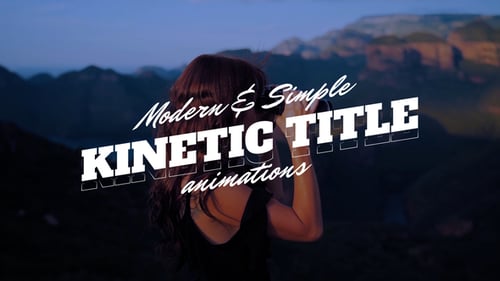
3 different text animation tools included: Bounce, Kinetic (Dynamic), Overshoot.
- Tool
- Presets
- 50 Ready-made Presets
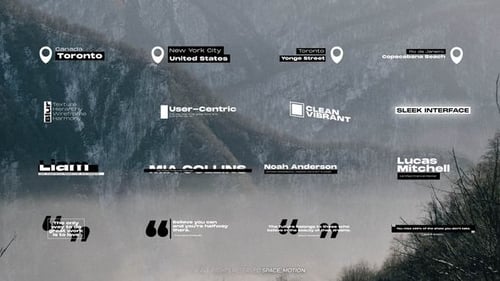
- 20 Ready-made Title Scenes
- 10 Ready-made Typography Scenes
How can I use?
Use Tool (Basic Presets) to create yourself:
- Bounce, Kinetic, Overshoot, Dynamic Text Animation.
- You can animate the text, create animations of characters.
- Create title animations, typography animations.
It’s easy. Just Apply preset on the text and change properties. In the Preset there are all advanced settings that allow you to create any text animation.
You can also use 50 ready-made presets with customized animation and ready-made scenes. Just select one of the 50 presets and apply to the text. Done! The project contains previews for each preset.
Advanced Controls
Presets have advanced controls, with which you can easily customize and create animations.
You do not need to work with keyframes. Just change the property (control) and the animation will add itself.
You can easily and quickly edit animation properties (Anchor Point, Scale, Skew, Tracking, Rotation (Y, X, Z), Position (Y, Z, X), Scale (Y, Z, X), Frequency, Decay, Duration, Amplitude, Speed etc.)
Want to animate text or characters in scale? Just change the scale property in the controls! Done!
Intro and Outro
You can enable and disable Intro and Outro.
Intro starts on the In-Point layer.
Outro starts on the Out-Point layer.
You can customize the animation separately for Intro and separately for Outro.
Credits
- Music track is not included. The soundtrack used in the video preview called "Summer Lounge House" by OneWaveRecords.
Audio used in this item