





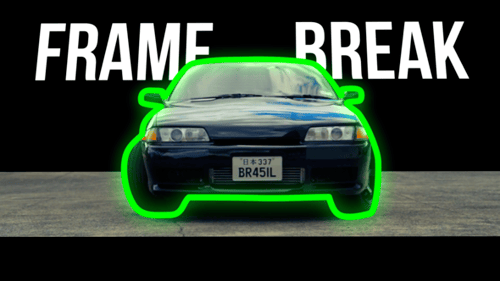
Frame Break - Cinematic Border Pop-Out
By PixFixUnlimited downloads from $16.50/month
- 26+ million premium assets & templates
- Full AI stack: video, image and audio gen
- Lifetime commercial license
- Easy cancelation
Attributes
- File Size
- 50.2 MB
- Application Supported
- DaVinci Resolve
- Required Plugin
- None required
- Commercial License
- Further Information
Description
Frame Break – Cinematic Mask Effect
Frame Break is a powerful and stylish effect for DaVinci Resolve that brings your visuals to life by allowing the main subject to break out of cinematic black bars.
Perfect for creating immersive and professional-looking intros, transitions, or dramatic moments in your video.
---
Key Features
- Eye-catching “break the frame” effect
- Automatic mask tracking or manual animation
- Fully customizable bars, mask, and animation settings
- Planar transform support for dynamic movement
- User-friendly controls – beginner-friendly setup
- Clean Fusion Macro – no third-party plugins required
---
⚙️ Compatibility
- Works with any resolution (HD, 4K, vertical, square, etc.)
- Compatible with any frame rate
- Supports any aspect ratio (16:9, 9:16, 2.35:1, etc.)
- No restrictions on clip length – works on short and long videos
- Optimized for both Fusion Page and Edit Page
---
What’s Included
- `.drfx` Macro File
- Step-by-step video tutorial
- Help guide with tips and support links
---
Use Cases
- Reels / Shorts / TikTok edits
- Film trailers & cinematic intros
- Music videos
- Travel, fashion, product videos
- Attention-grabbing transitions
---
Need Help?
Feel free to contact us — we’re happy to assist!
Audio used in this item