
Explore the latest and greatest updates on Envato – from Envato’s new Canva App and Figma Plugin to our new Social Media & Microsoft Word Categories.


At Envato, we’re always looking to level up our products to provide the best possible experience for our users. In order to evolve Envato into the best possible tool for creatives everywhere, keeping up with the latest tools, technologies, and features is key.
In this blog post, we’re updating you on all the latest product updates, features, and functionalities Envato offers so you can stay ahead of the curve and streamline your creative process.
Envato Product Updates: June & July 2024
What is Envato?
Envato is the ultimate unlimited creative subscription, offering everything you need for your creative projects at one low cost. With one subscription, you can download millions of premium-quality creative assets whenever you want and as many times as you wish. Envato is a go-to tool for all your creative needs, whether you’re a designer, videographer, or anything in between.
So, what’s new on Envato Elements this month? From Envato’s new Canva App and Figma Plugin to our Canva Compatibility Filter and new Social Media and Microsoft Word Categories, let’s delve into the latest and greatest product updates on Envato.
1. Envato Figma Plugin

We are excited to introduce our game-changing Figma plugin, designed to enhance your Figma experience. This new plugin seamlessly integrates Envato’s library of premium images and icons directly into your Figma designs, offering your favorite high-quality assets to be at your fingertips.
But that’s not all – the Envato Figma plugin also features an AI-powered icon generator, enabling you to create custom icons effortlessly, in over 30 styles!
Install Envato’s plugin for free in the Figma Community, visit the Envato help centre article for trouble shooting tips, and to submit your feedback via the form.
2. Envato Canva App Update
Introducing Envato’s updated app for Canva – a handy plugin enabling you to access Envato’s extensive library of premium photo and icon assets, plus generate your own icons using AI, all from within the Canva platform!
Simply connect your subscriptions to access Envato’s premium photos and import high-res vector and SVG icons from Envato’s library of 1M+ icon assets. If you can’t find the item you’re looking for, simply create the perfect icon to suit your project using our AI icon generator!
Keen to give it a go? Download the Envato Canva App today.
3. Authentic Music from PureHits

We’re thrilled to unveil PureHits—your new go-to for authentic music. That’s high-quality tracks that are versatile, feel genuine and can stand alone as entertainment, making them perfect for various creative projects.
4. Enhanced Search and Discovery

Search and discovery functionality has been revamped. It’s now faster and easier to find graphic templates using these brand new filters:
Canva boasts a community of millions of enthusiasts who are always looking for high-quality, eye-catching templates. In great news for both Envato and Canva users, graphic templates compatible with Canva will now be featured under our brand new “Canva Compatible” filter, making it easier to find the perfect template for your project! No more wasting time hunting down the perfect design template on Elements only to realize it doesn’t work with the Canva platform: this filter takes out the trial and error, improving and streamlining your design process.
We’ve also added a new “Microsoft Word Application Supported” filter to our Graphic Templates search, making it much easier to discover templates that work seamlessly with Microsoft Word.

We’re also excited to announce the launch of our brand new Envato sub-category, Social Media Templates. Our new Social Media Templates sub-category streamlines Elements search, putting all our stunning social media templates in one convenient place. You’ll no longer have to search for the perfect social media template in the websites and UX/UI kit categories. Instead, all new social media template uploads will live in this dedicated category, making it easier to find exactly what you’re looking for.
Envato Elements Product Updates, March 2024
1. Envato Elements’ Canva App

Ever wished you could integrate two of your favorite design tools? Introducing Envato’s exciting new app for Canva: a convenient addition to your Canva projects and design process, making it easier for our subscribers to access their premium assets without ever leaving the Canva editor.
Elements’ Canva app enables you to access Elements’ extensive library of premium photos – all from within the Canva platform. Simply connect your Envato Elements paid subscription for unlimited downloads to drag and drop premium photos, without watermarks, from the Elements library into your Canva projects.

Envato’s Canva app is hosted in the official Canva apps marketplace,” so simply sign into your Canva and Envato Elements account, download the app, and you’re good to go!
We have some exciting new additions coming soon to our Canva app – including an iconic AI feature that we think you’ll love – so keep a look out for updates!
2. AI Search
Want to use the magic of AI to optimize your search results? Elements’ AI-assisted Search tool improves the relevance of search results to help you find exactly what you’re looking for – faster.

Elements’ AI Search speeds up your workflow by finding relevant assets across Envato Elements, tailoring search results to your taste, and elevating your work. If you’re looking for multiple assets, AI-assisted Search is designed to streamline your workflow, helping you discover the perfect assets for your projects faster. Try it out on Elements now!
3. Photo Vector Search

Behind-the-scenes advances in AI are now enabling the technology to provide more accurate interpretations of content – for example, AI can now quickly analyze a photo and precisely recognize the image and what it represents. Elements’ Vector Search now leverages this exciting technology to improve the relevance of search results whenever you browse the Elements photo library.
To get the most out of Vector Search, it helps to be as specific and detailed as possible about what you’re looking for to return the most accurate results. For example, try searching for:
- Exact details: Search for a specific breed of dog rather than a general term.
- Style: Queries like “woman in a car in a noir style” or “house in a Wes Anderson style.”
- Mood: Users can search for specific moods, such as “cozy desk setup” or “creepy garden.”
- Colors: Queries like “Cityscape Golden” allow users to search for specific color themes.
- Specific details: Users can differentiate specific searches, like “leaves from indoor plants” vs. “autumn leaves.”
- Emotions: Users can search for specific emotions, such as “excited,” “shocked,” or “terrified.”
This feature’s technology understands semantics and context far better than lexical search, making your photo search experience faster, swifter, and easier, allowing you to get maximum value from the Elements photo library. So, what are you waiting for? Head to Envato Elements to find the perfect photo for your project today!
Envato Elements Product Updates, December 2023
1. Suggested Music Tracks for Video Templates
Love the audio featured in your favorite video template? Save time searching for the perfect track by downloading it directly from the video item page!
We’ve made it easier for creators to find music tracks for their videos. Suggested Elements music tracks will now be displayed alongside Video Templates, allowing users to quickly and effortlessly download tracks featured in the video preview without searching for them. In addition to saving a ton of time searching for the right music track for their project, this handy feature assists users in finding audio that complements their chosen items perfectly.
2. Curated Collections
What’s better than finding what you’re looking for? Not having to search for it! Jump straight into Elements’ new Curated Collections, chosen by a team of experts and ready to download at the click of a button.
Providing users with a personalized experience, Curated Collections feature Elements’ highest quality content – handpicked just for you. Carefully selected by our Elements team based on item quality, relevance, and popularity, Curated Collections are designed to save you time and effort searching for the hottest new content and encourage you to explore and discover new items and content types you might not have considered to further diversify your projects.
Collections also help video creators find complementary assets to complete their video projects faster, containing everything from music tracks and sound effects to video templates.
3. Browse Videos Faster with Video Scrubber
Want to view more videos faster? Previewing videos has never been easier with Elements’ new Video Scrubber. Designed to streamline finding the perfect video for your project, this new feature allows video creators to swiftly “scrub” through video previews. It provides a quick, convenient way for users to vet videos and simplifies finding the right videos for their projects.
Previously, users had to hover their mouse over the video and sit through the entire preview. Now, users can easily scrub backward and forward at their own pace, making the preview process quicker, more convenient, and more user-friendly.
4. Explore Related Items After Download
We all have a “type”! Save time searching for similar items with our new related-items feature, which surfaces relevant items related to your recent Envato Elements downloads.
Providing a more personalized experience, our related items feature presents you with complementary recommendations to help you discover new category types, authors, or content aligned with your project – that you may not have found otherwise!
Also great for sparking inspiration for the next phase of your creative project, related items provide a quick and convenient way to discover and access the perfect assets for your projects, helping you complete them more efficiently.
5. Streamline Search with Similar Items Sidebar
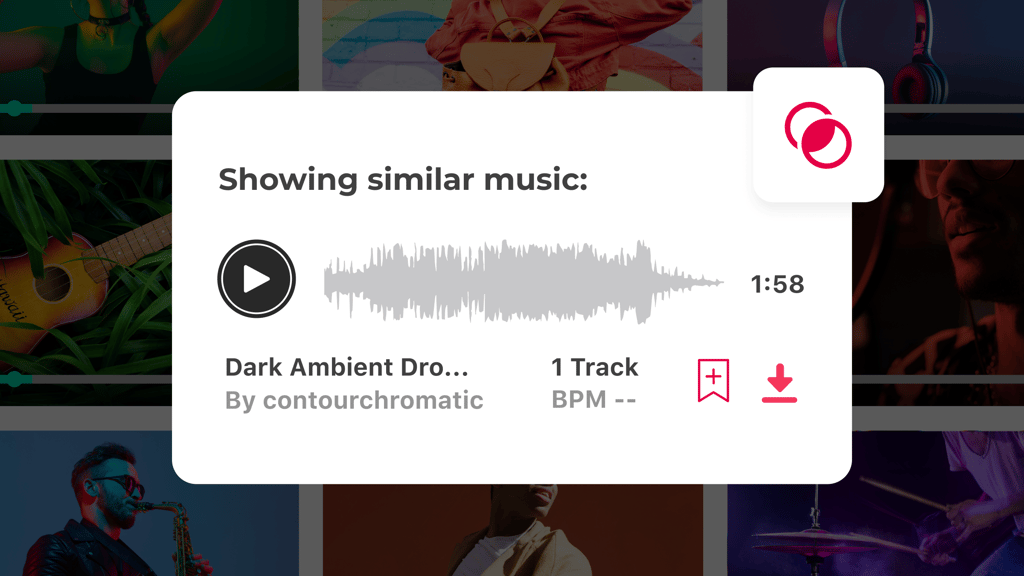
Want to browse through similar search items without stunting your scrolling? Now you can! Our new “similar” icon – displayed on item cards – opens a sidebar showcasing similar items, enabling you to seamlessly browse search results and similar items without leaving your search journey.
Saving you time and effort, this feature helps you conveniently discover similar assets without losing your place in search results or hunting them down yourself. It also allows you to explore a broader range of assets, increasing the chances of finding exactly what you need by quickly comparing options – leading to faster decision-making and better-aligned item choices.
Explore These New Features on Envato Elements Today!
And that’s a wrap for now! Whether you’re a seasoned creative professional or just starting your design journey, Envato Elements – the unlimited creative subscription – has something for everyone. A one-stop shop for all your creative needs, Elements features a diverse and extensive library of design and video templates, stock videos, graphics, photos, music tracks, sound FX, and so much more.
So, what are you waiting for? Explore these awesome updates on Envato Elements to start creating today.


